Review:
automatic insertion of
the default constructor
|
Review:
automatic insertion of
the default constructor
The Circle class has no constructors defined:
public class Circle
{
double radius = 1; /** The radius of this circle */
// Circle has no constructors defined....
// The Java compiler will insert the default constructor !
}
|
The Circle class has no constructors, so the Java compiler will insert the default constructor
Review:
automatic insertion of
super()
to invoke constructor in
superclass
A subclass object always contains a superclass object:
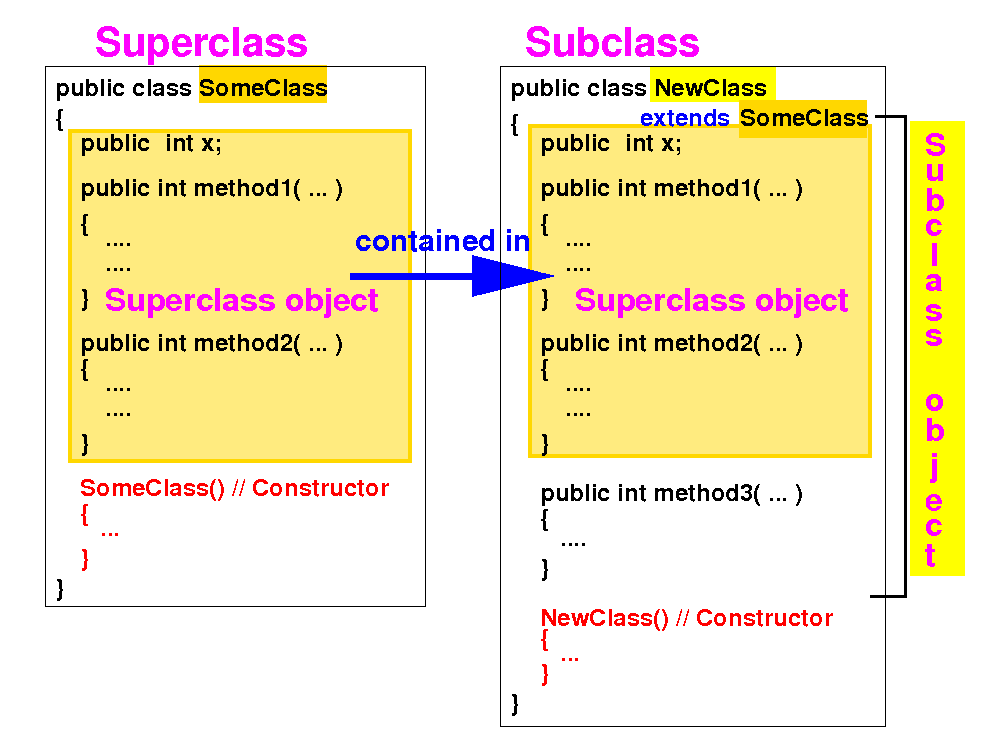
And objects are initialized using a constructor...
Review:
automatic insertion of
super()
to invoke constructor in
superclass
Therefore: a constructor in the subclass must invoke some constructor in its superclass as its first statement:
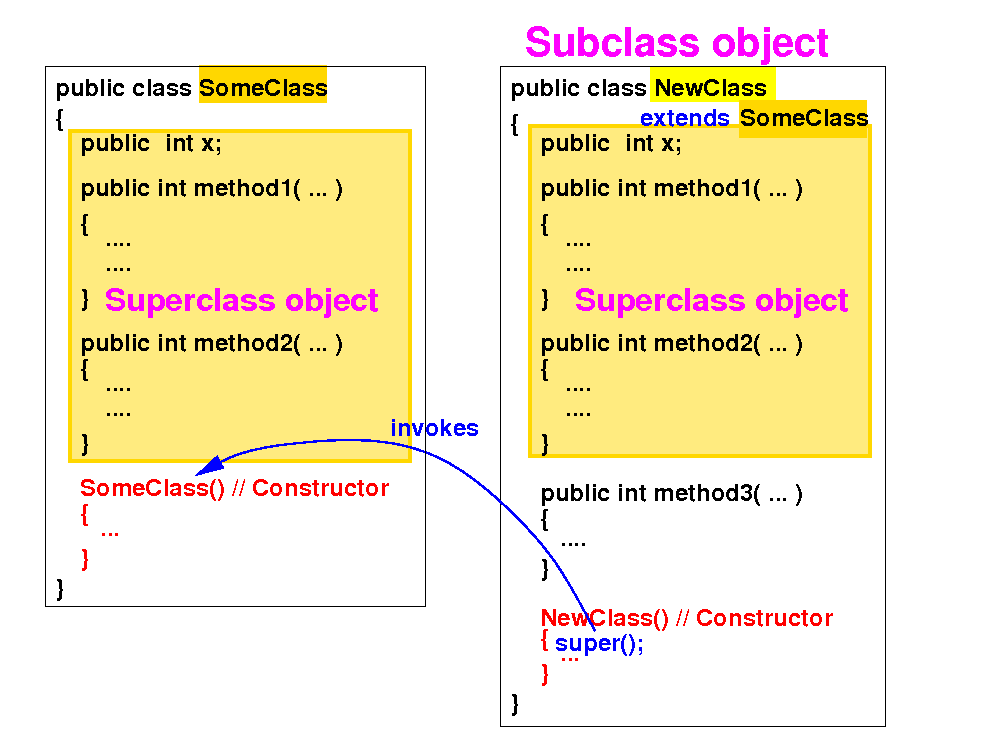
The keyword super( ... ) is used to invoke a constructor in its superclass
Review:
automatic insertion of
super()
to invoke constructor in
superclass
If a constructor in the subclass does NOT invoke any constructor in its superclass as its first statement:
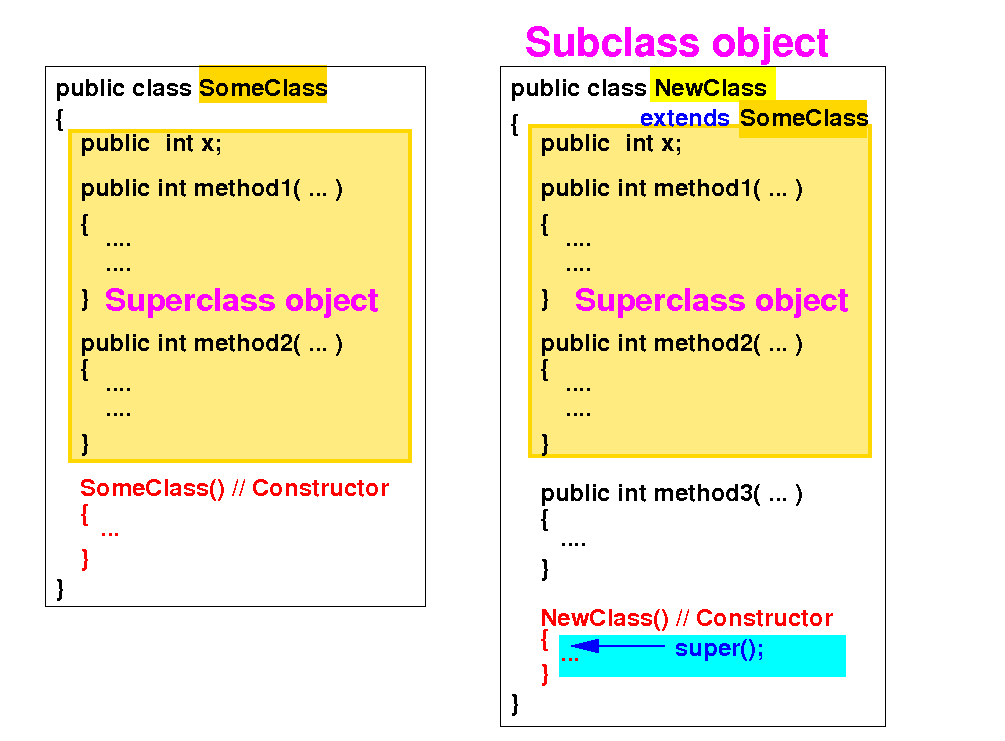
Then: the Java compiler will automatically insert the call super( ) as the first statement
There is
one more
automatic insertion that the
Java compiler will do...
|
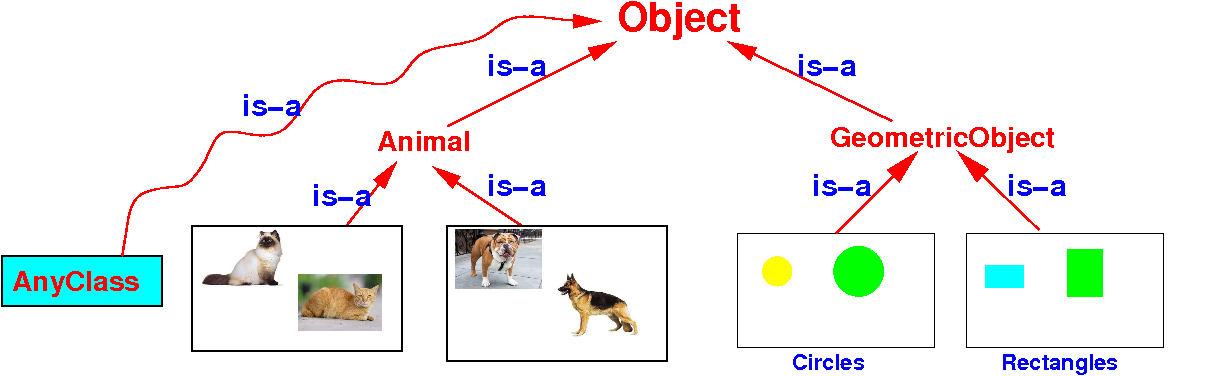
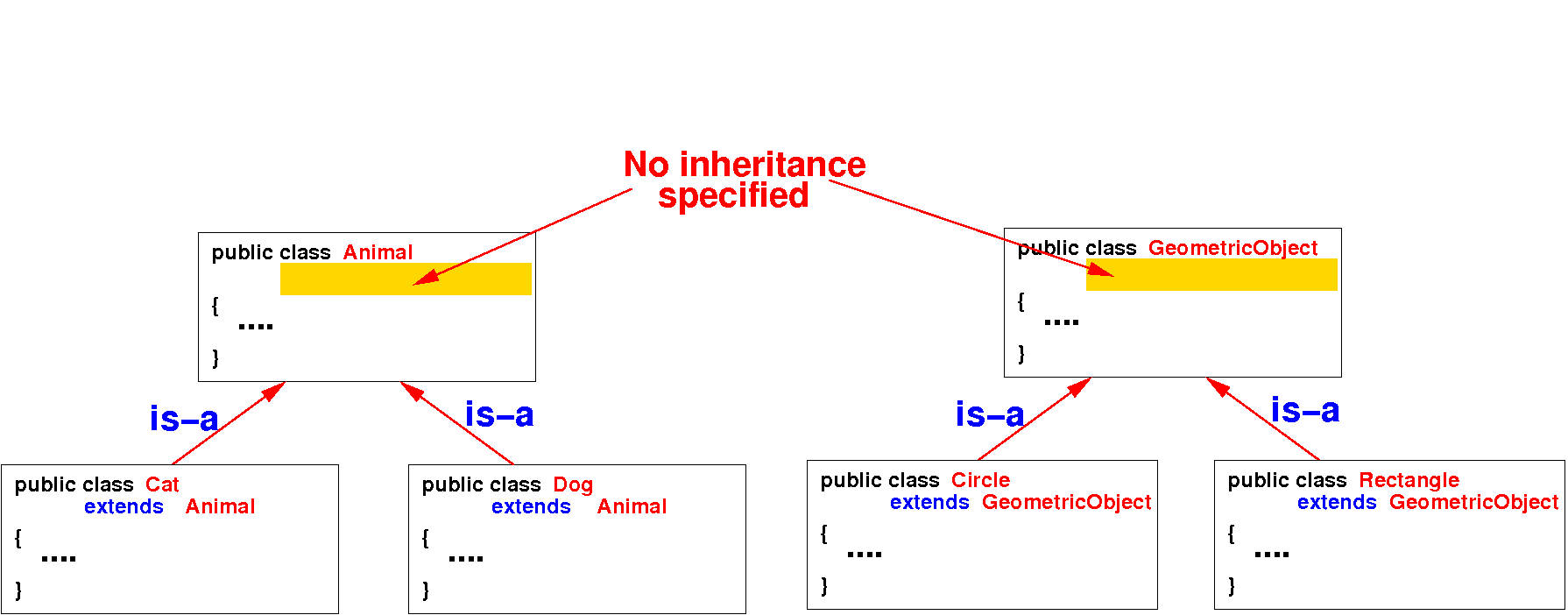
How
Java makes sure
every class will inherit
from the
Object class
|
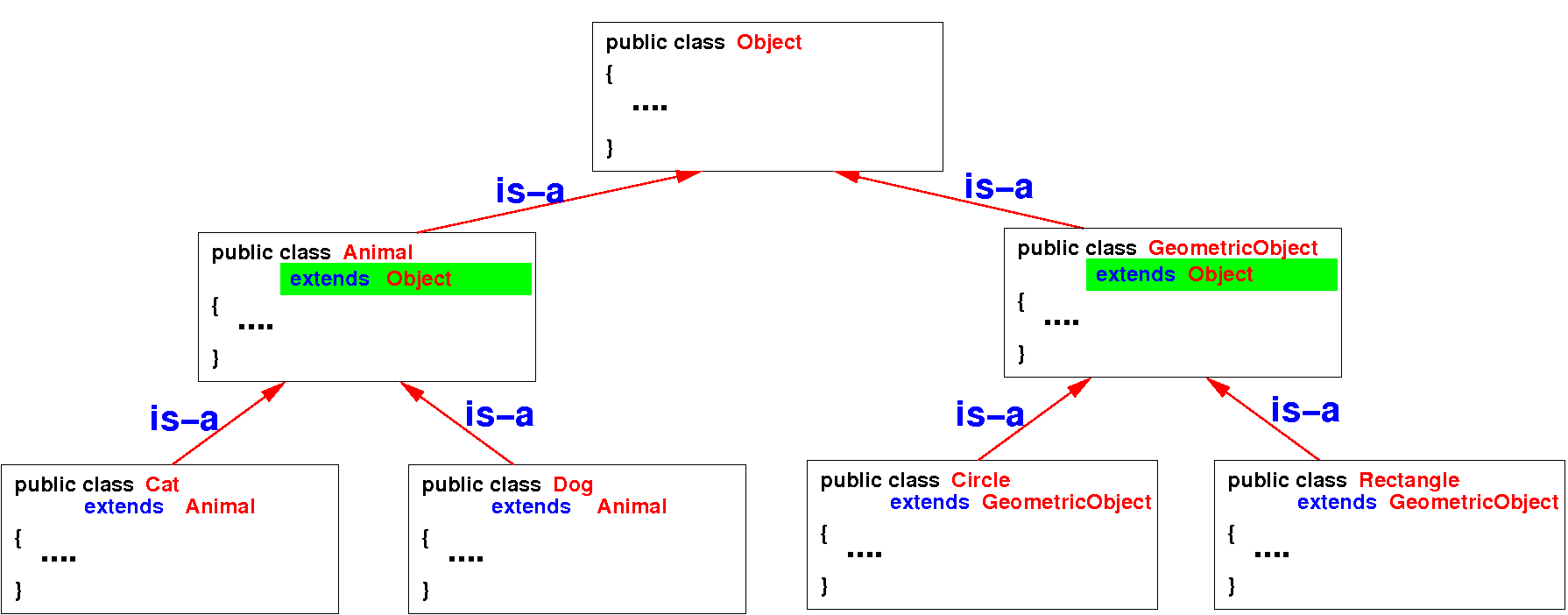
How
Java makes sure
every class will inherit
from the
Object class
|
The
Object class
in
Java's library
Using and
overriding the inherited
toString() method
Example that shows that the GeometricObject class inherited the toString() method from the Object class
public class GeometricObject
{
    private String color;

    GeometricObject( String col )
    {
        color = col;
    }

    public String getColor()
    {
        return color;
    }

    public double getArea()  // Dummy method
    {
        return 0;  // Some default value
    }

    // No "toString()" method defined !
}
|
public class myProg
{
    public static void main(String[] args)
    {
        GeometricObject a =
               new GeometricObject("red");

        // We can call the toString() method
        // using a GeometricObject object
        System.out.println( a.toString( ) );
    }
}
|
Using and
overriding the inherited
toString() method
Example that shows that the Circle class also inherited the toString() method from the Object class
public class Circle extends GeometricObject { private double radius; Circle(String col, double r) { super(col); radius = r; } public double getRadius() { return radius; } public double getArea() { return 3.14159*radius*radius; } // No "toString()" method defined ! } |
public class myProg
{
    public static void main(String[] args)
    {
        Circle a = new Circle("red", 2.0);

        // We can call the toString() method
        // using a Circle object
        System.out.println( a.toString( ) );
    }
}
|
Using and
overriding the inherited
toString() method
We can override the inherited toString() method to print out an object in a more suitable format:
public class Circle extends GeometricObject { private double radius; Circle(String col, double r) { super(col); radius = r; } ... // Override the "toString()" method public String toString() { return "Color = " + getColor() + " : " + "radius = " + radius; } } |
public class myProg
{
    public static void main(String[] args)
    {
        Circle a = new Circle("red", 2.0);

        // We can call the toString() method
        // using a Circle object
        System.out.println( a.toString( ) );
    }
}
|
Copying
Array objects
with the
clone() method
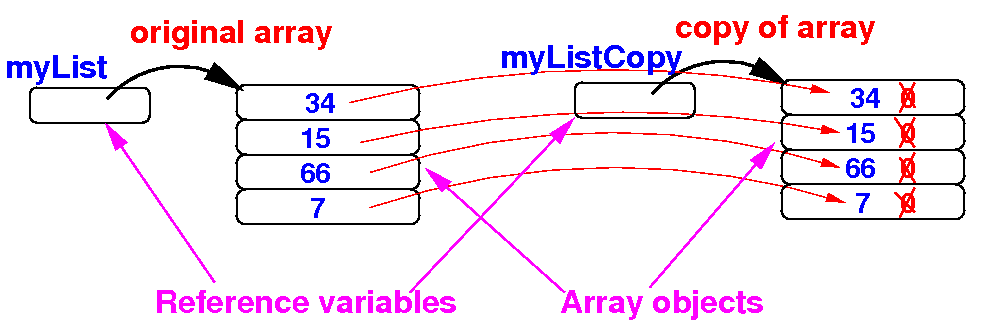
Copying
Array objects
with the
clone() method
|