Adding (= inserting) a new element into an ArrayList object

  • To add (= insert) an element elem into the ArrayList object myList:

            myList.add( elem ); 

    The new element is added to the end of the ArrayList

  • Example:   add the String "john" to an ArrayList<String> object:

    import java.util.ArrayList;
    
    public class AddToEnd
    {
        public static void main(String[] args)
        {
            ArrayList<String> myList = new ArrayList<>();
            
            myList.add("john");
            System.out.println( myList );
        }
    } 

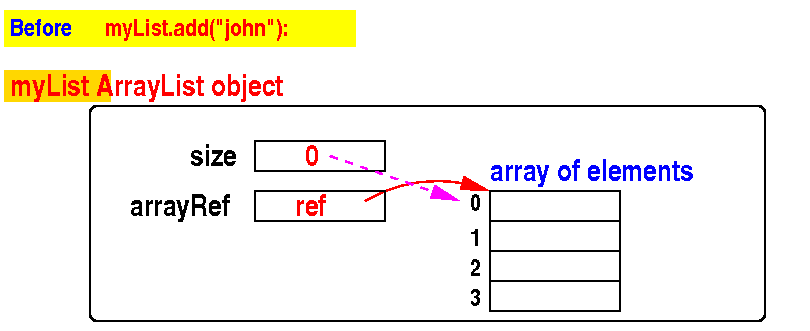
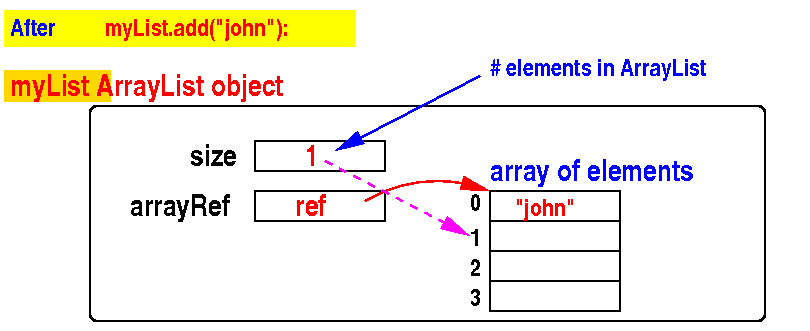
Adding (= inserting) a new element into an ArrayList object - illustrated

  • Initially:    before   myList.add("john")

  • After adding the String "john" to an ArrayList<String> object:

DEMO: demo/11-arrayList/02-add/AddToEnd.java

Difference between an Array and an ArrayList

  • Array:

      • Once an array is created, its size is fixed.

        (However: you can write code to create a larger array and copy the elements from the old array to the new array to increase the array size - see: )

  • ArrayList:

      • The size of the array used to store the elements is adjusted automatically

        When an arraylist is full, a built-in routine (in the add( ) method) will executed that creates a larger array and it also copies the elements from the old array to the new array to increase the array size - see:

    I will show you how this is done with pictures next

Automatic size adjustment of an ArrayList

When an ArrayList is full:
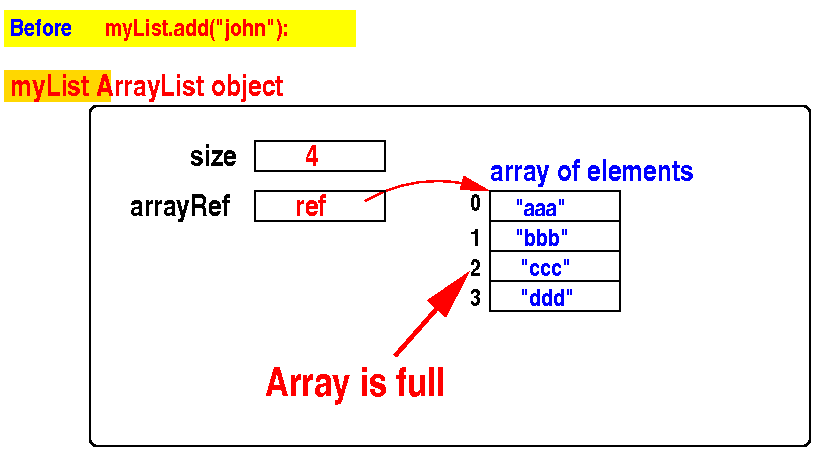
 

The add( ) method will execute code to increase the array size before inserting....


Automatic size adjustment of an ArrayList

(1) create a large array (to hold more elements):
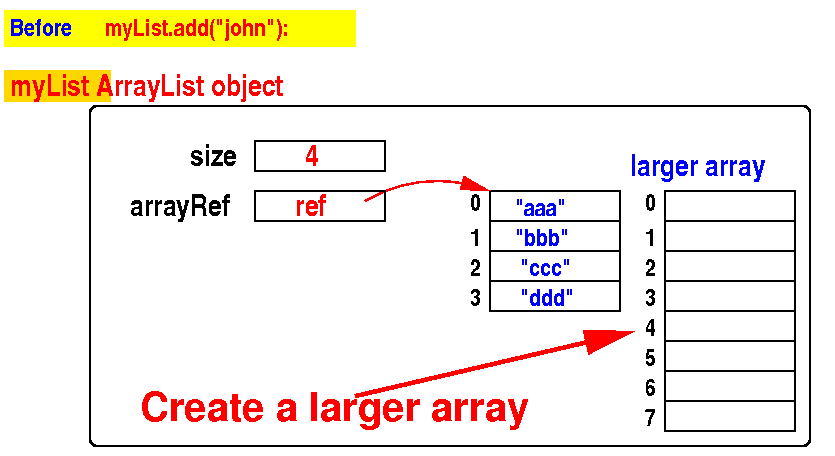


Automatic size adjustment of an ArrayList

(2) copies all elements from the old array to the new larger array:
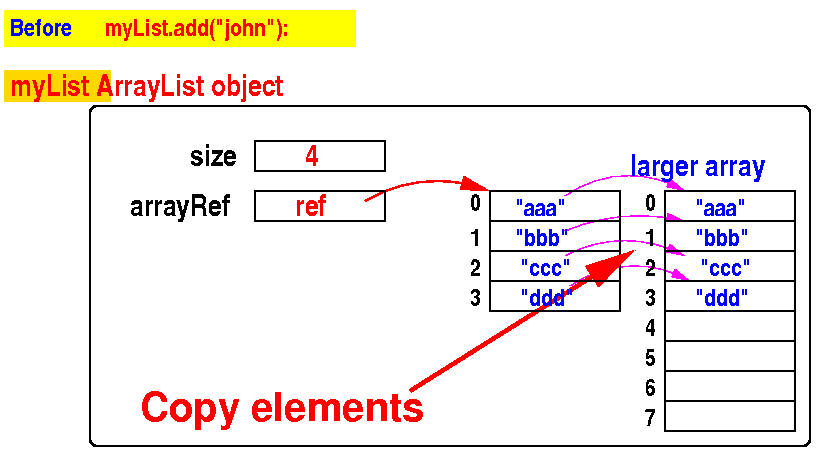


Automatic size adjustment of an ArrayList

(3) make the ArrayList object use the new larger array:
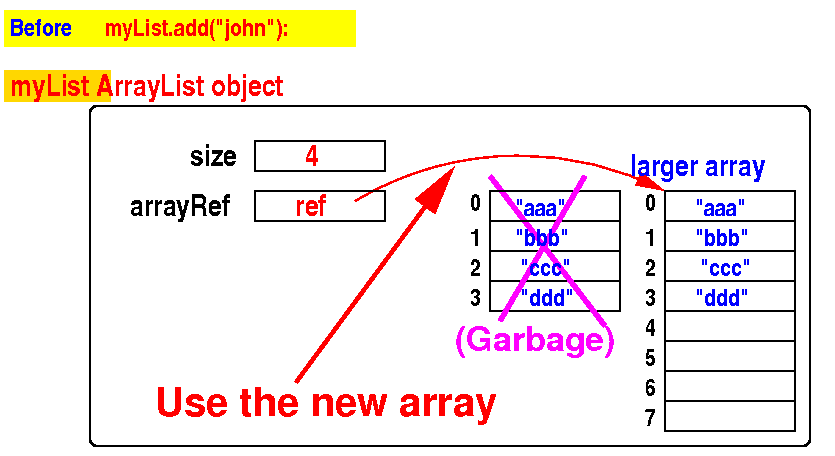


Automatic size adjustment of an ArrayList

(4) finally add (= insert) "john" to the ArrayList object:
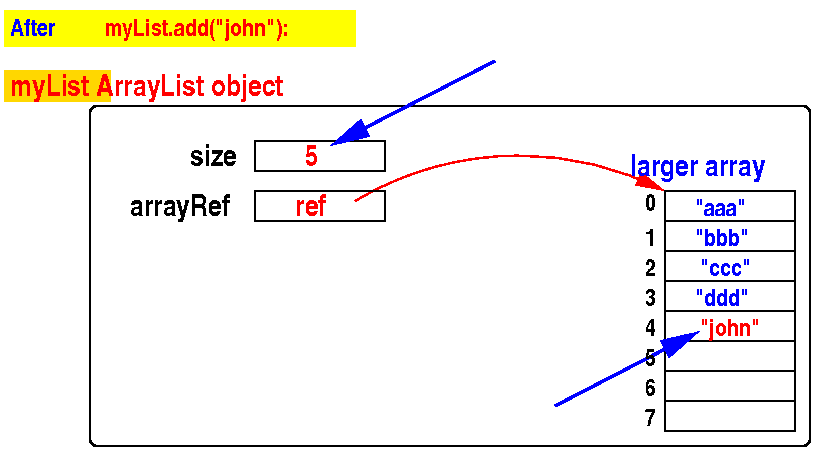


DEMO: demo/11-arrayList/02-add/AdjustSize.java

Animation on how the the ArrayList works:

Inserting an element at a certain position

  • To add (= insert) an element elem into the ArrayList object myList: at the position index:

            myList.add( index,  elem ); 

  • Example:   add the String "peter" to an ArrayList<String> object at position 1:

    public class myProg
    {
        public static void main(String[] args)
        {
            ArrayList<String> myList = new ArrayList<>();
            
            myList.add("john");  // Position 0
            myList.add("mary");  // Position 1
            myList.add("peter"); // Position 2
    
            myList.add(1, "peter");  // Insert it at position 1 
    
            System.out.println( myList ); // [john,peter,mary,peter]
        }
    } 

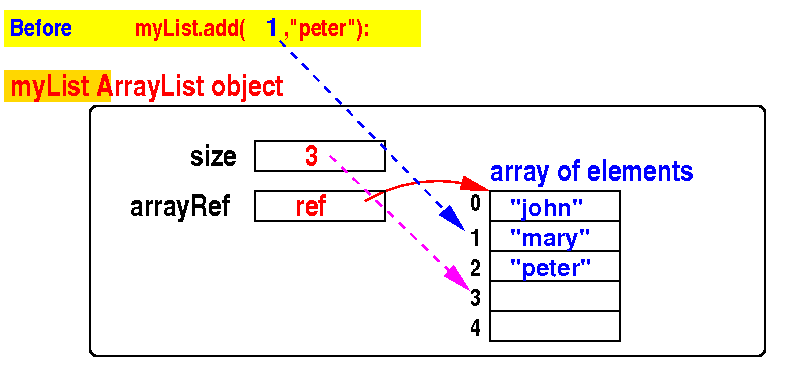
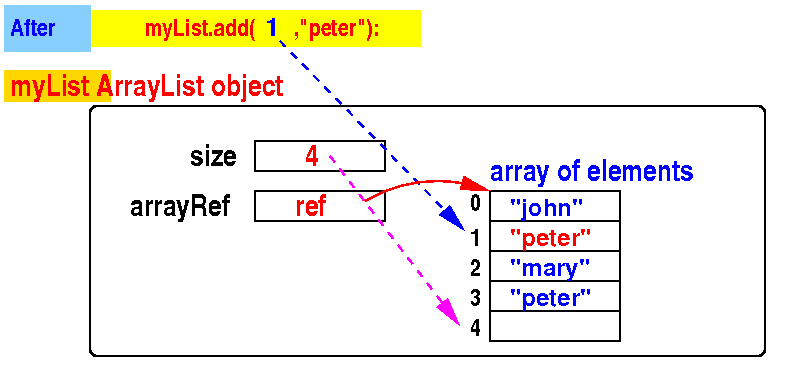
Inserting an element at a certain position

  • Initially:    before   myList.add( 1, "peter")

  • After adding the String "peter" to an ArrayList<String> object at position 1:

DEMO: demo/11-arrayList/02-add/AddToPos.java