Defining a 2-dimensional array variables in Java

  • Syntax to define a 2-dimensional array variable and make it reference to an array:

     dataType[][] arrayRefVar;   // Define an array variable
    
     arrayRefVar = new dataType[N1][N2]; // Create N1×N2 array 

    The dataType can be any data type
    All elements in the array will have the same data type.

  • Example: define a 2-dim array with 3 rows and 4 columns:

       double[][] numbers; 
    
                                     //  (4 columns)
       numbers = new double[3][4];   //  x  x  x  x  
                                     //  x  x  x  x  (3 rows)
    				 //  x  x  x  x

DEMO: demo/09-multi-dim-array/02-basics/Define2DimArray.java

What happens when you define a 2-dim array in Java

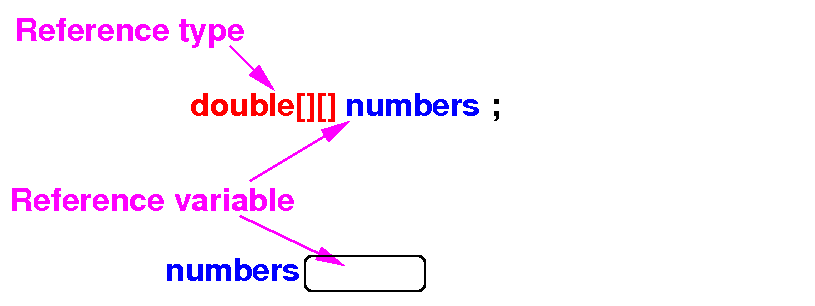
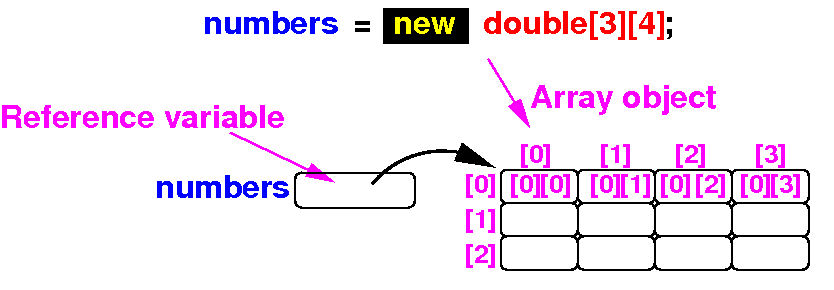
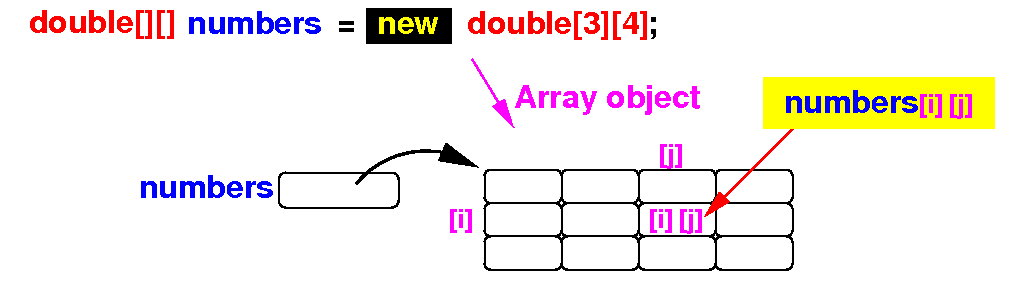
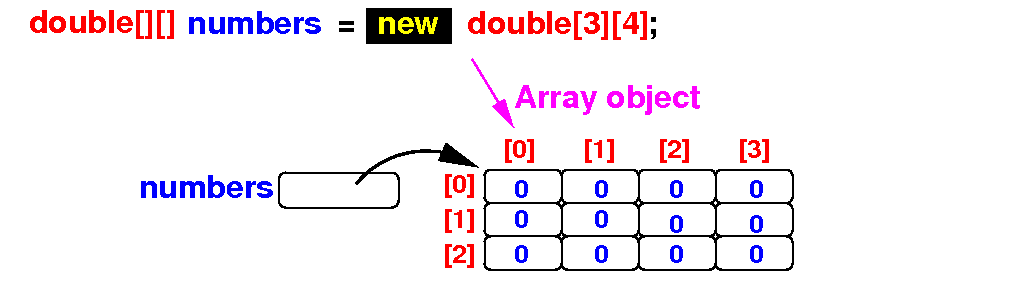
The effect of the execution of the statements are depicted in diagrams below:

   double[][] numbers;        Result:


   numbers = new double[3][4];
                              Result:
                                 

Note:   the definition double[][] numbers will define one variable named numbers
            the type double[][] tells the Java compiler how to store data in the variable

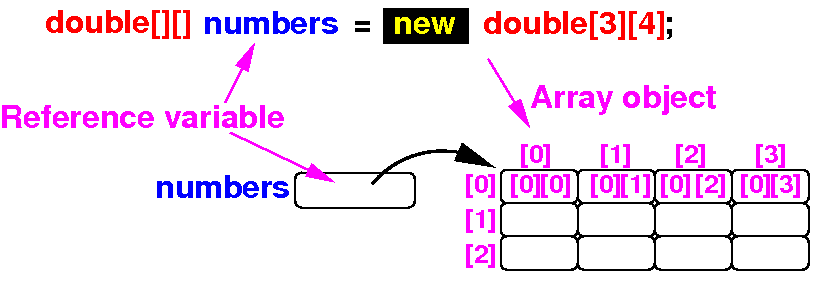
Array variable definition   with   array instantiation

 Instead of 2 separate steps:

     double[] numbers;
     numbers = new double[3][4]; 


 We can also use this one step to define an instantialized array variable:

     double[] numbers = new double[3][4]; 


Result:

Using a 2-dimensional array

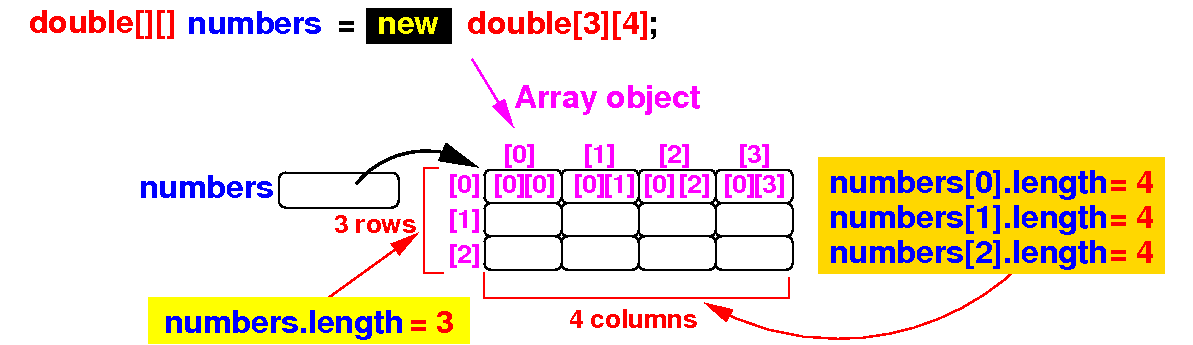
  • A 2-dimensional array has many different length variables

      1. The variable arrayName.length = number of rows in the 2-dimensional array

      2. Each row i in the 2-dimensional array also has a length variable:

        • arrayName[i].length = the number of elements in row i

  • Example:

    Note:   arrays in Java can have rows with different number of elements (details later)

Using a 2-dimensional array

  • An element in a 2-dimensional array is identified by 2 indexes

      • The "row" (= first) index

      • The "column" (= second) index

  • To access the element in the row i and column j, use:

         arrayName[i][j] 

    Schematically:

Using a 2-dimensional array   example

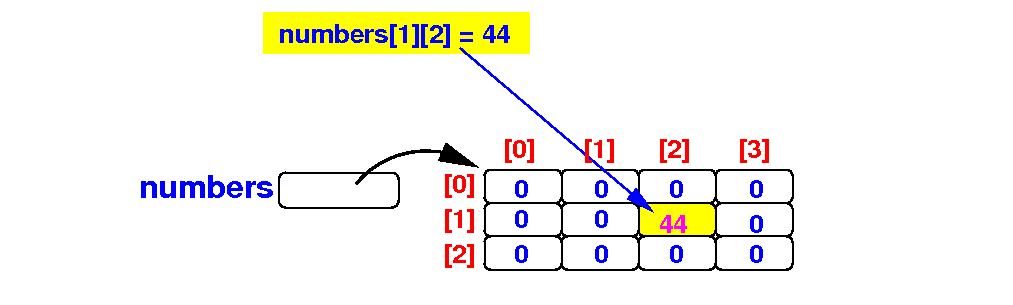
  • Initially, we define a 3×4 array:

  • The assignment statement:   numbers[1][2] = 44;

    will update the array as follows:

DEMO: demo/09-multi-dim-array/02-basics/Use2DimArray.java

Default initial values and array initializers

  • Default values:

    • A array created with the new operator are initialized with the default value 0 or false


  • Java provides array initializers to defined an initialized 2-dimensional array:

     dataType[][] arrayRefVar = { {value00, value01, ..., value0M},
                                  {value10, value11, ....... ., value1N},
                                  ... }; 

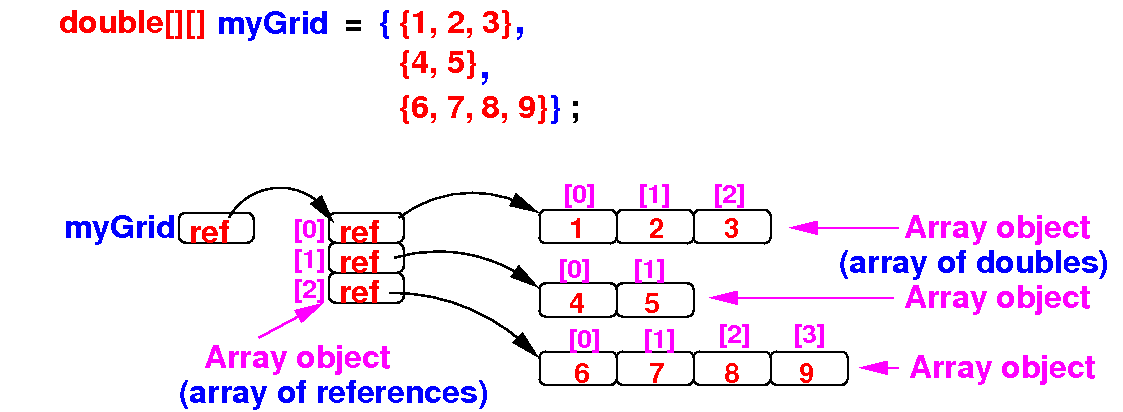
  • Example: defining an initialized array

       double[][] myGrid = { {1, 2, 3},       // Row 1 has 3 elements
                             {4, 5},          // Row 2 has 2 elements
    		         {6, 7, 8, 9} };  // Row 3 has 4 elements

DEMO: demo/09-multi-dim-array/02-basics/ArrayInit.java      Show with Inspect

How Java stores a 2-dimensional array   snapshot from BlueJ
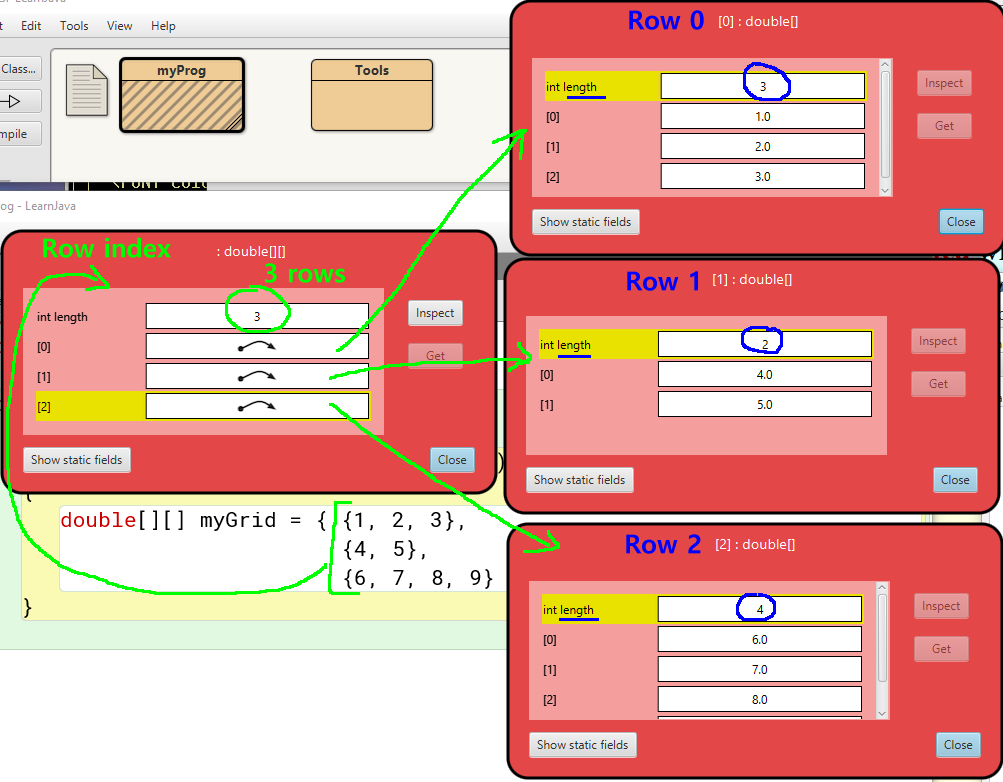
How Java stores a 2-dimensional array

  • A 2-dimensional array in Java is stored as follows:

  • Java 2-dimensional arrays have the following properties:

    • Each row of a 2-dimensional array is an independent array

  • Therefore:   different rows in a 2-dimensional array can have different lengths

  • Arrays of this kind is known as a ragged array
    (Most programming languages have rectangular arrays)