Changing the
size
of an array
problem description
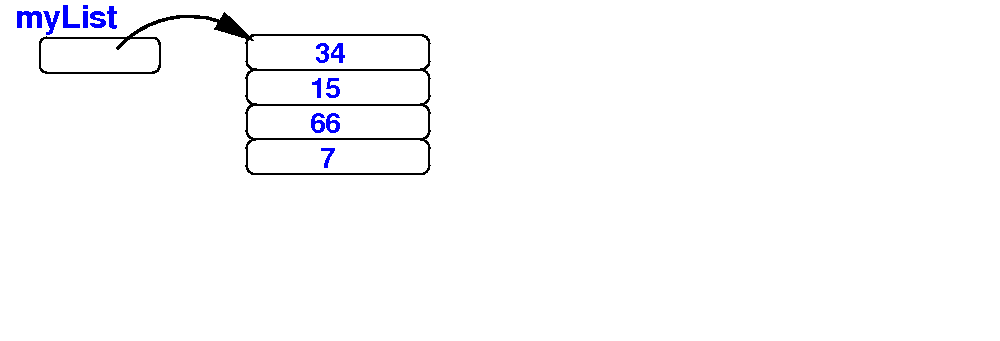
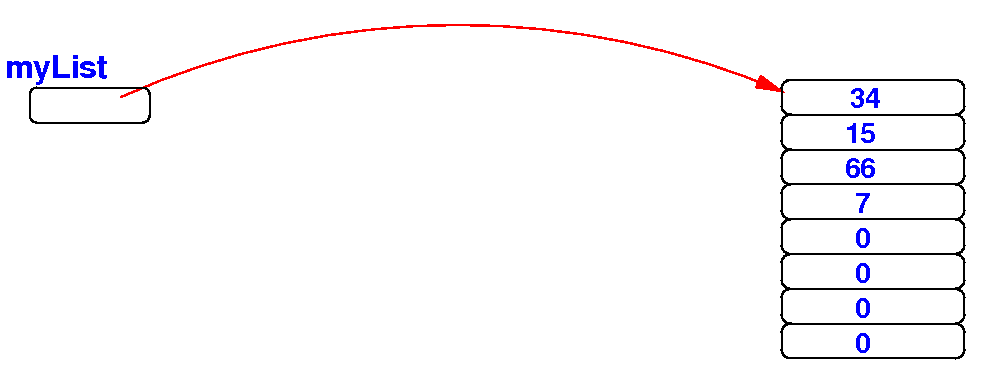
We want to change the size of the array object that is referenced by the array variable myList:
|
Changing the
size
of an array
backgroun information
Background information:
|
Review:
make a copy of
an array
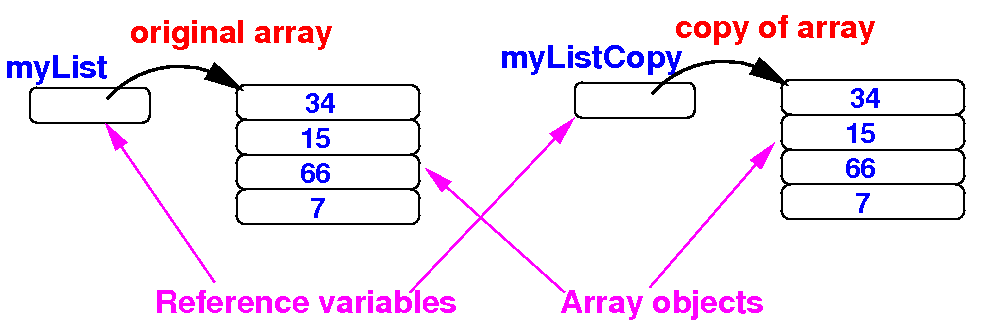
In Java, we can make a copy of an array object by copying all its elements:
    public static void main(String[] args)
    {
        double[] myList = {34, 15, 66, 7};

        double[] myListCopy = new double[ myList.length ];

	/* ------------------------------------------------
	   Copy all the elements
	   from myList to myListCopy
	   ------------------------------------------------ */
        for ( int i = 0; i < myList.length; i++ )
            myListCopy[i] = myList[i];
    }
|
Review:
assigning references and
alias
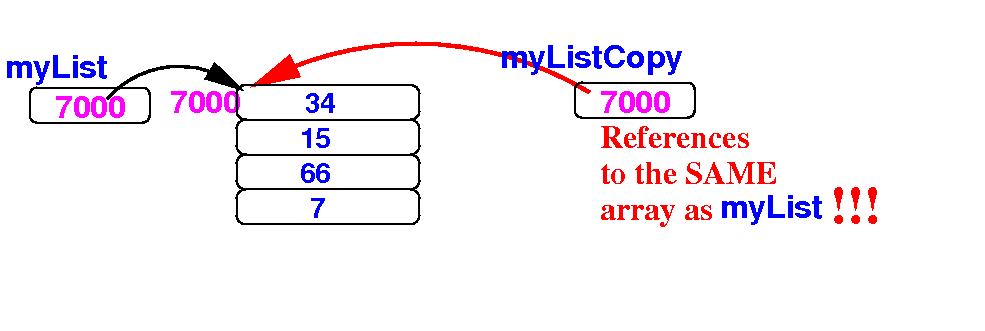
In Java, assigning an array references will create an alias:
    public static void main(String[] args)
    {
        double[] myList = {34, 15, 66, 7};

        double[] myListCopy;

        myListCopy = myList;   // Copies the reference
    }
|
How to
change the
size
of an array
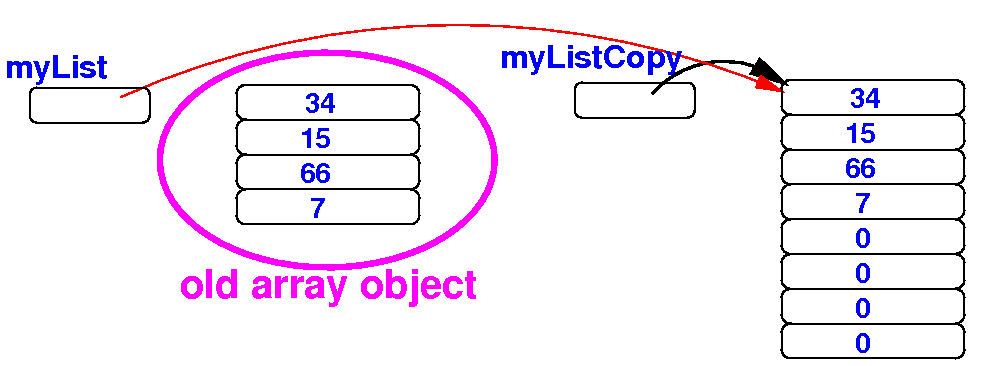
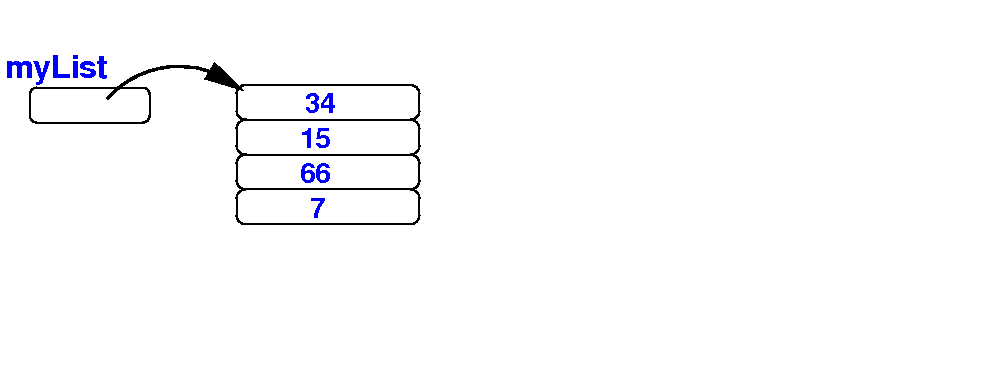
Initially, we have the array myList:
    public static void main(String[] args)
    {
        double[] myList = {34, 15, 66, 7};

        double[] myListCopy = new double[ 2*myList.length ];

        for ( int i = 0; i < myList.length; i++ )
            myListCopy[i] = myList[i];

        myList = myListCopy;
    }

 Schematically:
|
How to
change the
size
of an array
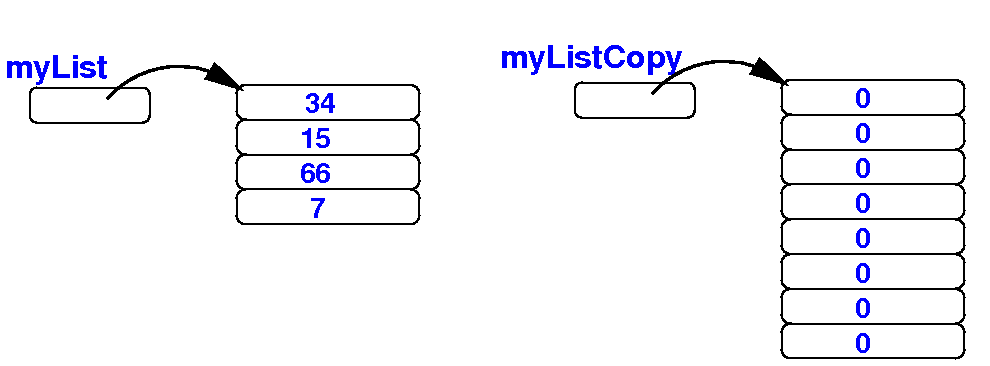
(1) we first create a larger array:
    public static void main(String[] args)
    {
        double[] myList = {34, 15, 66, 7};

        double[] myListCopy = new double[ 2*myList.length ];

        for ( int i = 0; i < myList.length; i++ )
            myListCopy[i] = myList[i];

        myList = myListCopy;
    }

 Schematically:
|
How to
change the
size
of an array
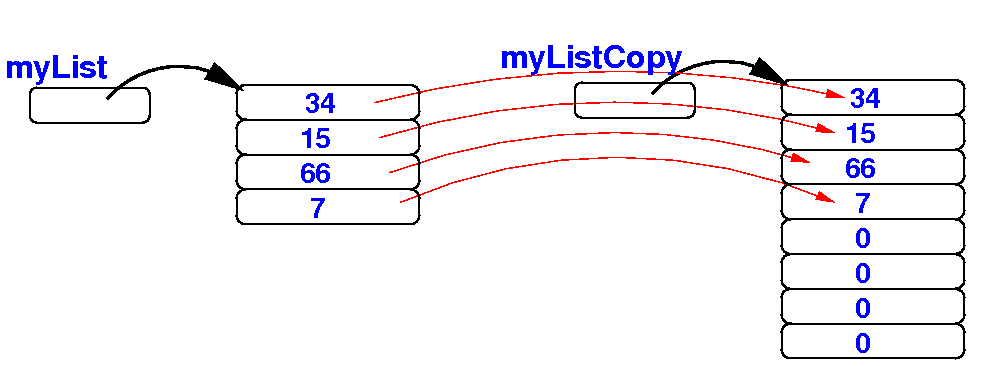
(2) Next, we copy the elements from myList to the larger array:
    public static void main(String[] args)
    {
        double[] myList = {34, 15, 66, 7};

        double[] myListCopy = new double[ 2*myList.length ];

        for ( int i = 0; i < myList.length; i++ )
            myListCopy[i] = myList[i];

        myList = myListCopy;
    }

 Schematically:
|
How to
change the
size
of an array
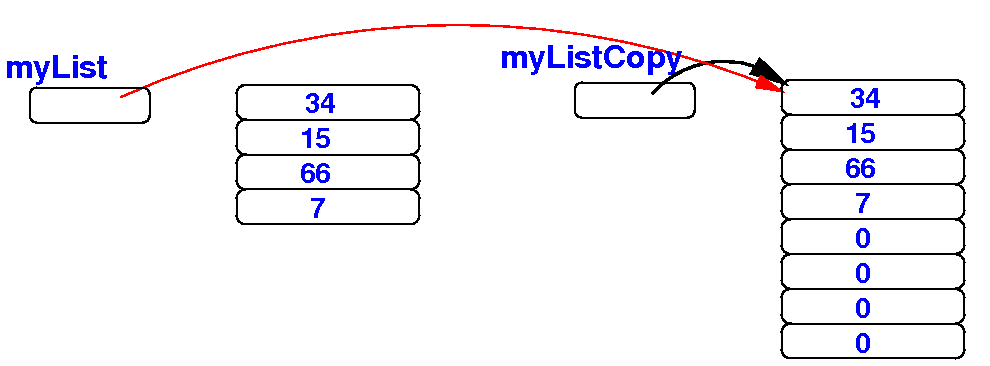
(3) Finally, we reference the larger array with the array variable myList:
    public static void main(String[] args)
    {
        double[] myList = {34, 15, 66, 7};

        double[] myListCopy = new double[ 2*myList.length ];

        for ( int i = 0; i < myList.length; i++ )
            myListCopy[i] = myList[i];

        myList = myListCopy;
    }

 Schematically:
|
How to
change the
size
of an array
When we remove the extraneous variables, you can clearly see that myList points to a larger array:
    public static void main(String[] args)
    {
        double[] myList = {34, 15, 66, 7};

        double[] myListCopy = new double[ 2*myList.length ];

        for ( int i = 0; i < myList.length; i++ )
            myListCopy[i] = myList[i];

        myList = myListCopy;
    }

 Schematically:
|
How to
change the
size
of an array
Demo program:
    public static void main(String[] args)
    {
        double[] myList = {34, 15, 66, 7};

        for ( int i = 0; i < myList.length; i++ ) // Print before changing size
            System.out.print(myList[i] + " ");
        System.out.println();

        double[] myListCopy = new double[ 2*myList.length ];

        for ( int i = 0; i < myList.length; i++ )
            myListCopy[i] = myList[i];

        myList = myListCopy;

        for ( int i = 0; i < myList.length; i++ ) // Print after changing size
            System.out.print(myList[i] + " ");
        System.out.println();
    }
|
DEMO: demo/08-array/07-change-array-size/Demo1.java
Garbage....
|