Review:   Reference data types and variables

  • Review:   reference data type:

      • All Java classes are reference data types

      • We can define (reference) variables with:

          ClassName  refVarName ;
        
        Example:
        
          String  s ;
        

  • Review:   reference variables:

      • Variables defined with a class is known as a reference variable.

      • Reference variable can store a reference (= address) of an object of the corresponding class

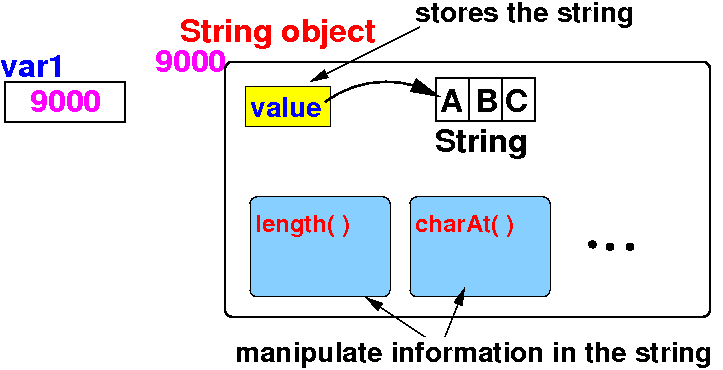
Reference data types and variables    Illustrated

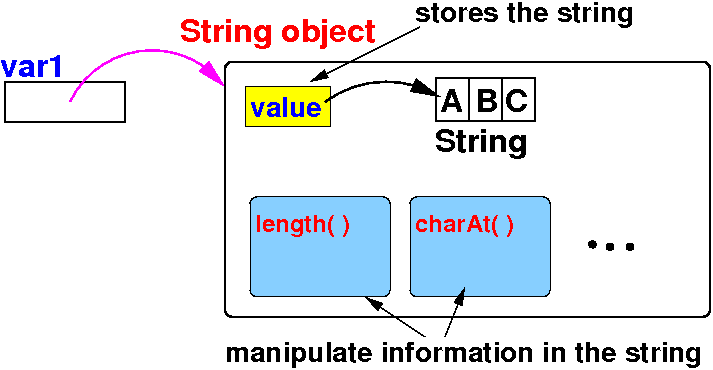
Reference variable stores an address of an object Reference variable points to an object

 String    is  a class, a.k.a. a reference data type

 var1      is a reference variable

 "ABC"     is a (String typed) object

 var1      references (points to) the "ABC" String object
  

Array in Java is also a reference data type

Defining array variables in Java

  • Syntax to define an array reference variable:

     elementType[] arrayRefVar;    // Define an array reference variable
    

  • Syntax to create an array object and make arrayRefVar point to the array object:

     arrayRefVar = new elementType[N]; // Create an array of N elements

    The elementType can be any data type
    All elements in the array will have the same data type.

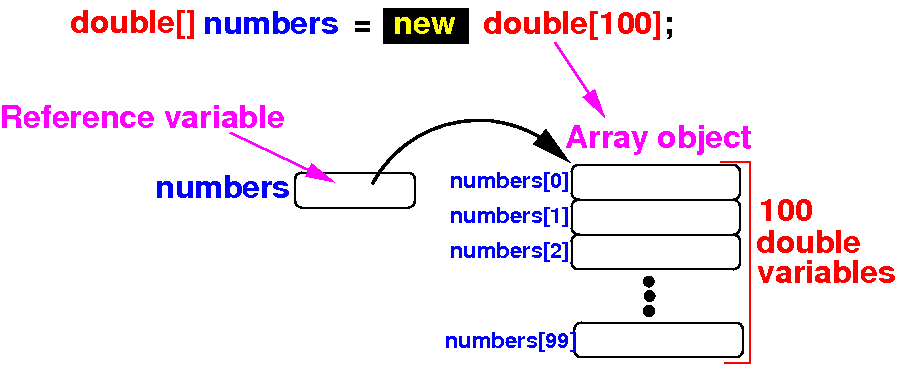
  • Example: define a array variable that references to an array of 100 double variables

     double[] numbers;          // Define an array reference variable
    
     numbers = new double[100]; // Create an array of 100 double variables
    

DEMO: demo/08-array/02-basics/ArrayObject.java

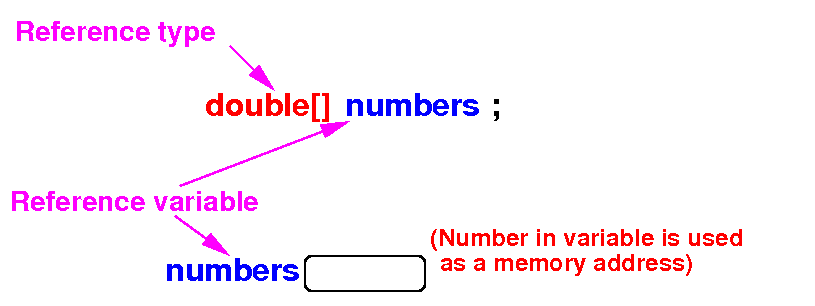
What happens inside the computer when you define and array

   double[] numbers;            What happens inside the computer


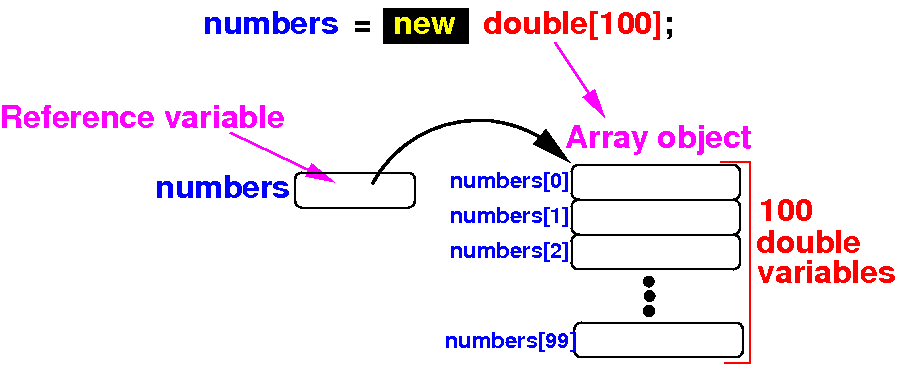
   numbers = new double[100];
                                What happens inside the computer


Combining the (1) array variable definition and (2) array creation steps

 Instead of 2 steps:

       double[] numbers;                    // Step 1
       numbers = new double[100];           // Step 2


 We can combine the steps to define an initialized array variable:

       double[] numbers = new double[100];  // Combine steps 1 and 2


Result:

Using an array

  • The length (= number of elements) of an array:

      • Each array has a variable called length that contains the length (= # elements) of that array:

         ArrayType  arrayVarName = new ArrayType[N];
        
         arrayVar.length    contains  N (= # elements in the array)
        

  • Each element is uniquely identified by an index

      • The first element of the array has index 0

      • The last element has index arrayName.length−1

  • To access the ith element in the array arrayName, use:

         arrayName[ i ] 

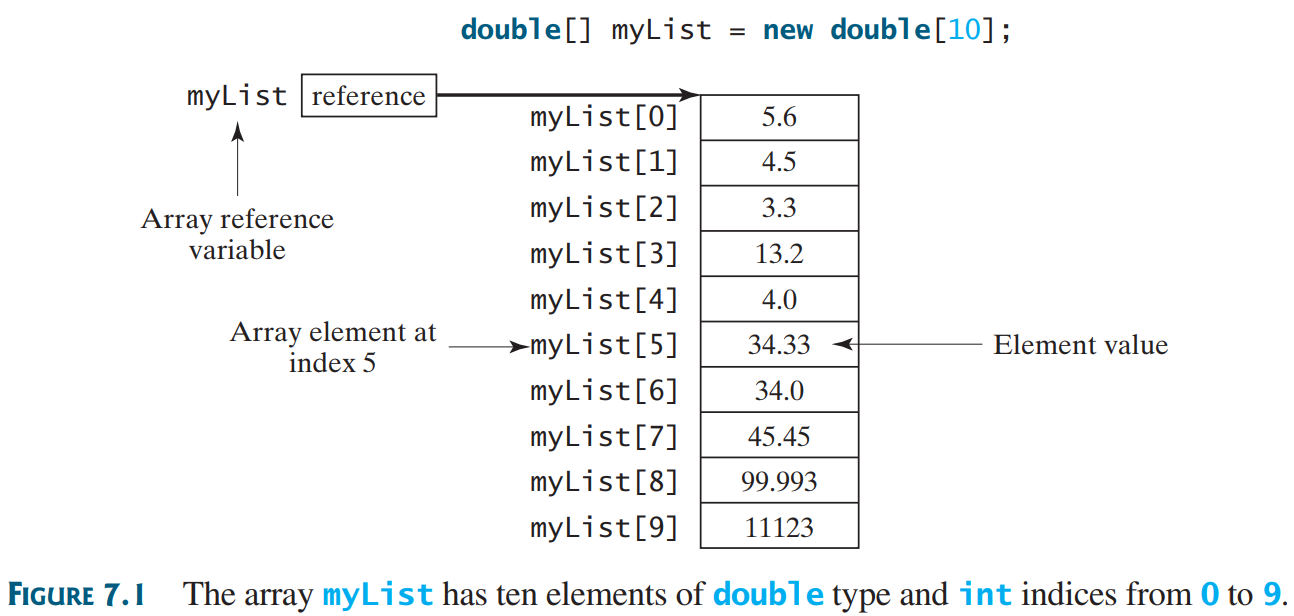
Example:    defining and using array

   double[] myList = new double[10];

   myList[0] = 5.6;      myList[1] = 4.5;
   myList[2] = 3.3;      myList[3] = 13.2;
   myList[4] = 4.0;      myList[5] = 34.33;
   myList[6] = 34.0;     myList[7] = 45.45;
   myList[8] = 99.993;   myList[9] = 11123;

 Result: (show in BlueJ - double click on object)


DEMO: demo/08-array/02-basics/UseArray.java       Show array object in BlueJ

The default initial values in arrays and array initializers

  • The default initial value in the array elements:

    • The array elements of an array created with the new operator are initialized with the default value 0 (or false if data type is boolean)


  • Syntax to create an array that is initialized with some initial values:

       elementType[] arrayRefVar = {value0, value1, ..., valueN}; 

  • Example: define an array named myList of 4 double variables with initialization

       double[] myList = {1.9, 2.9, 3.4, 3.5}; 

    (Show the content of the array in BlueJ)

DEMO: demo/08-array/02-basics/ArrayInitializer.java

Important facts about arrays

  • Once an array is created (with new or an initializer), its size is fixed:

     double[] myList = new double[10];  // array of 10 elements 


  • The index used tp access an array element must be between 0 and arrayName.length−1

    • If you use an index outside the range of 0 and arrayName.length−1, you will get a ArrayIndexOutOfBound error

    Example:

     public static void main(String[] args)
     {
         double[] myList = {1.9, 2.9, 3.4, 3.5}; ; // 4 elements in array
            
         double x;
         x = myList[3]; // OK
         x = myList[4]; // Error
     }

DEMO: demo/08-array/02-basics/IndexError.java