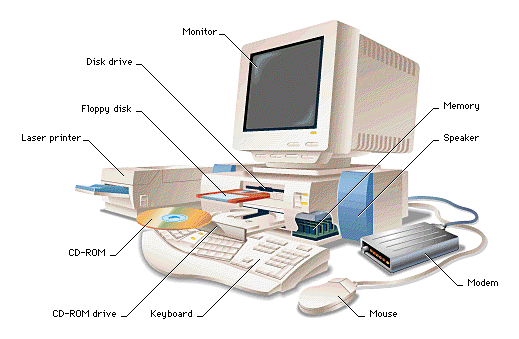
Physical organization of a computer
- What a
computer
looks like
physically:
|
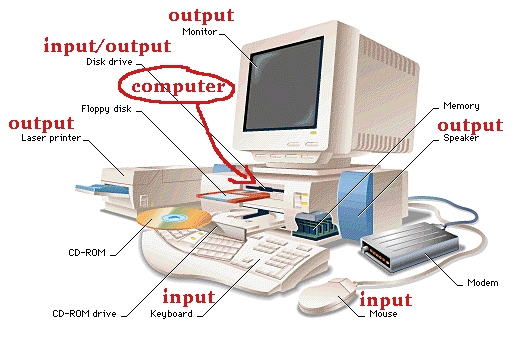
Physical organization of a computer
-
Categories
of the
computer components:
|
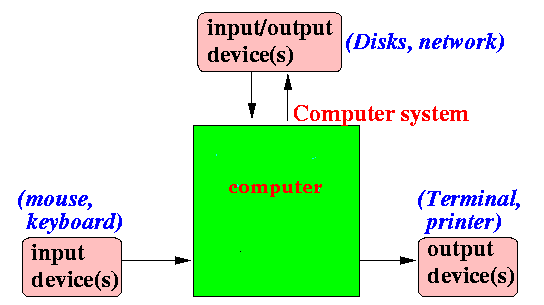
Logical (functional)
organization of a computer
- What a
computer
looks like
logically (= by their function):
|
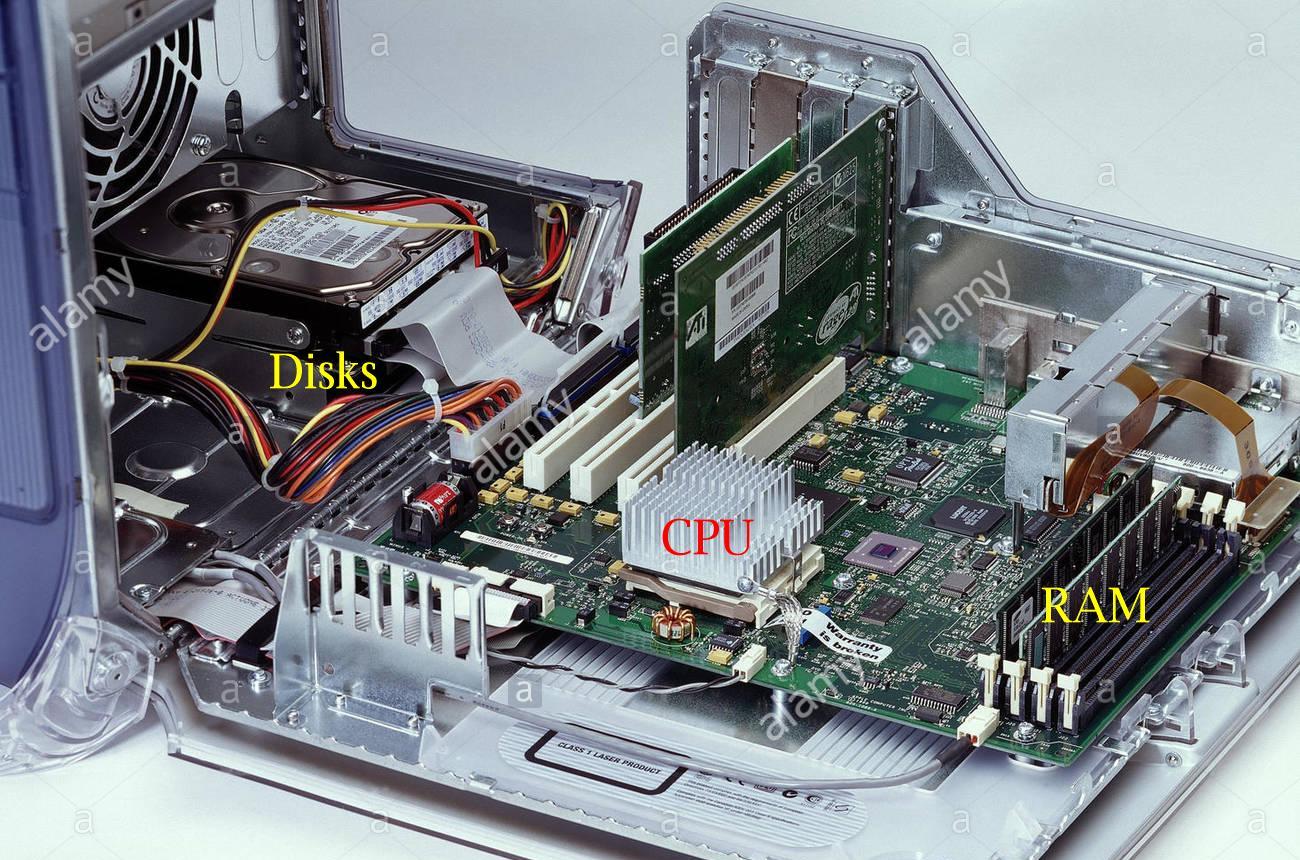
What a computer looks like from
inside
- When you
open the
computer case,
the inside of the
computer looks like
this:
|
What a computer looks like from
inside
- The computer system
consists of
2 components:
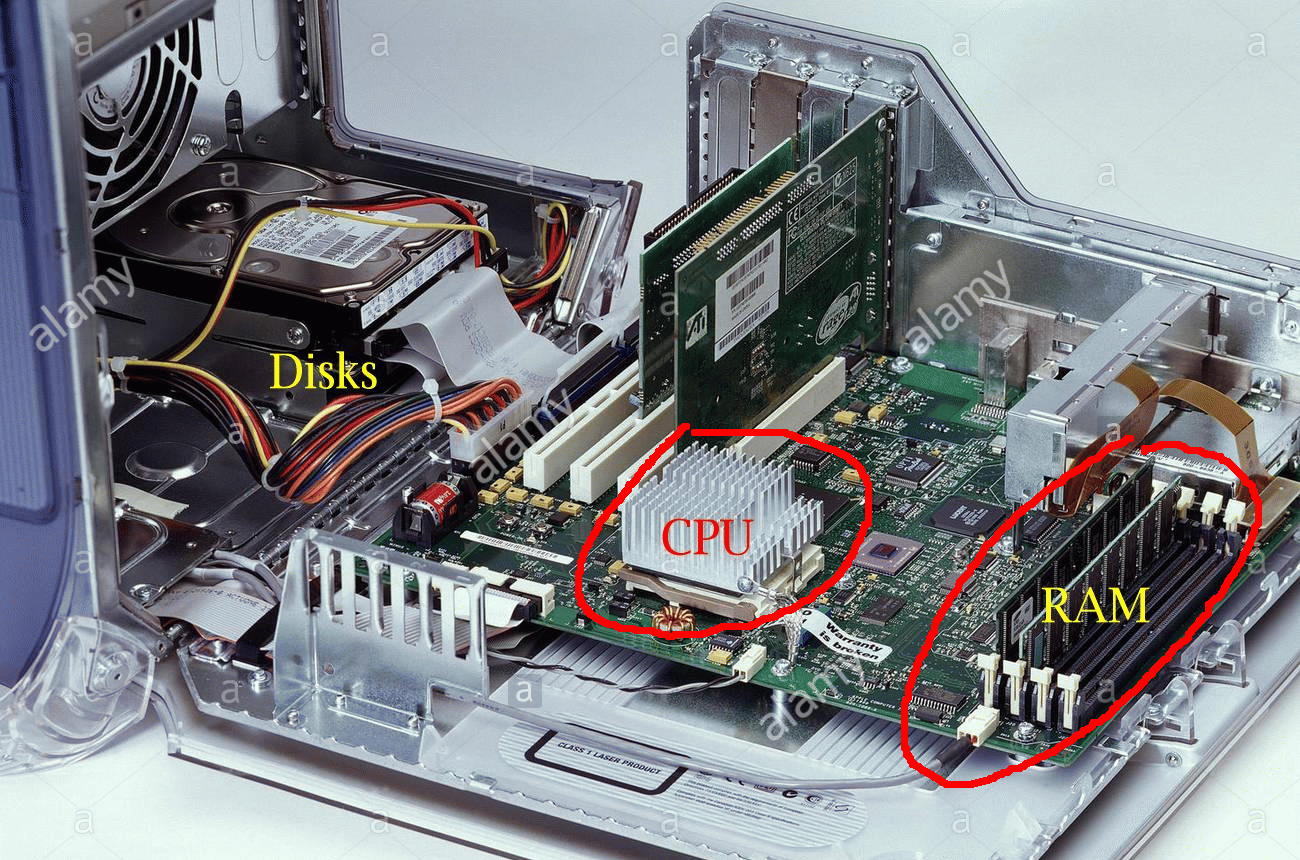
- The
components that
make up a
computer system are:
- The Central Processor Unit
(CPU) - a.k.a. the processor
- The Computer Memory
= a.k.a. RAM
(Random Access Memory)
|
|
What a computer looks like from
inside
- The
RAM
(or Random Access Memory)
stores/contains
computer programs:
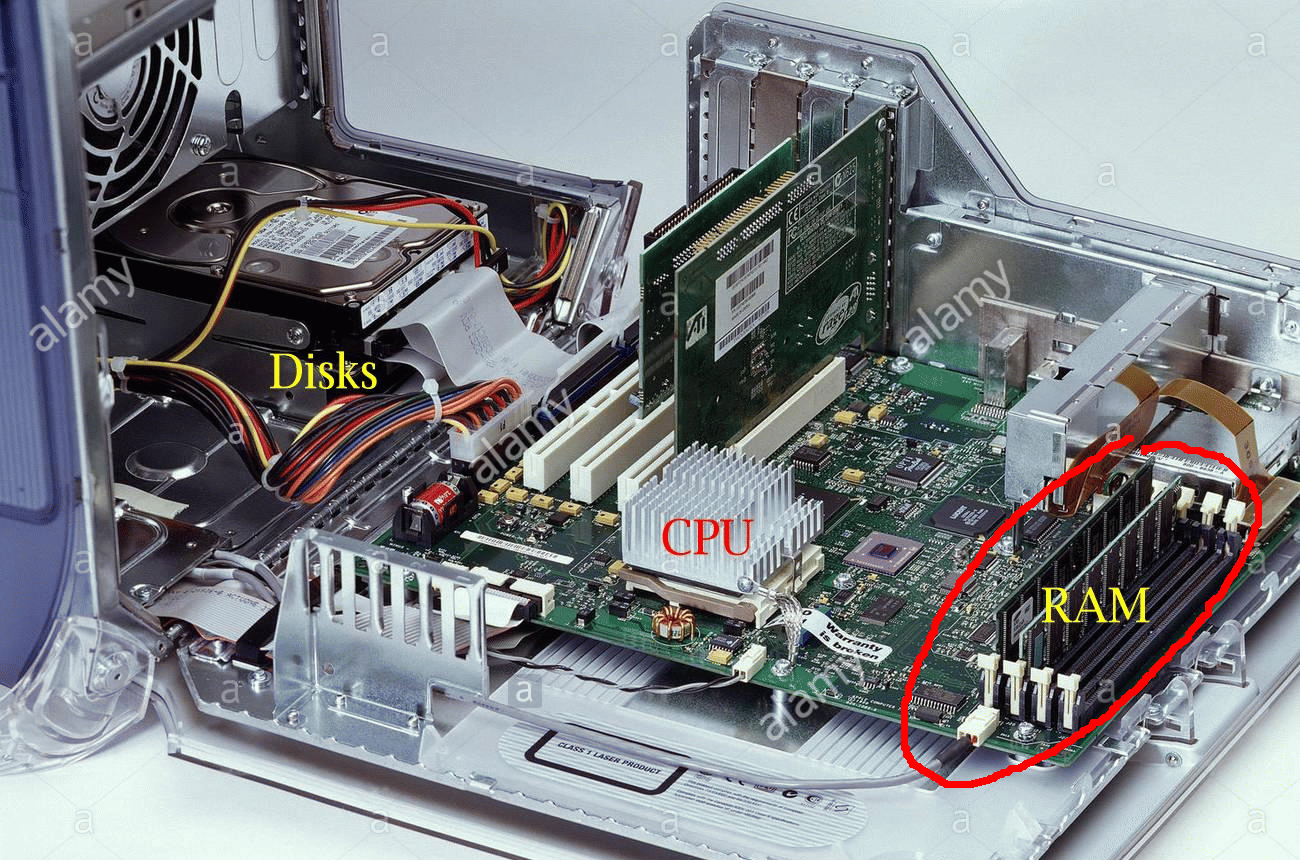
- A
computer programs
consists of:
- Program
instructions
- Program
variables
|
|
What a computer looks like from
inside
- The
CPU
(or Central Processing Unit)
executes
instructions in
programs:
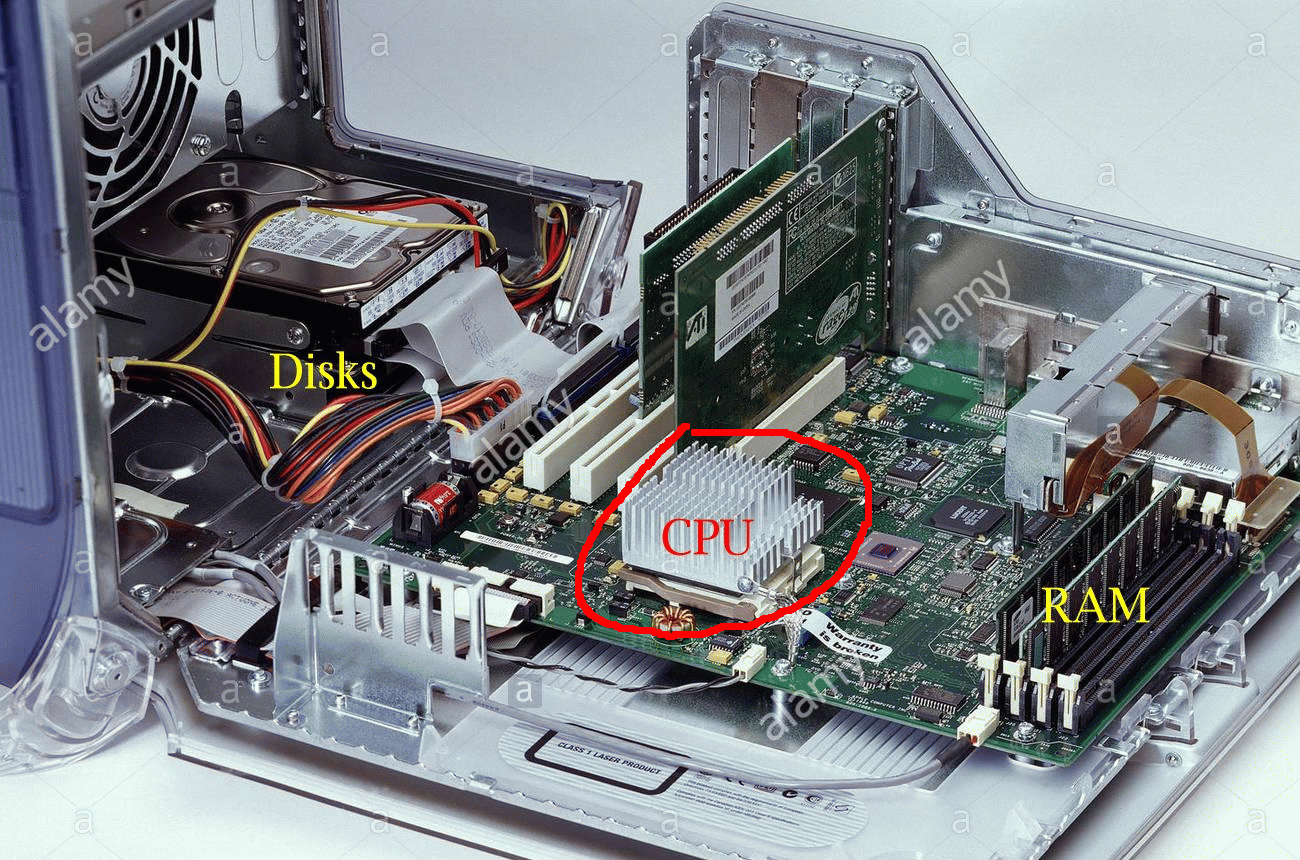
- A
CPU
consists of:
-
Digital circuitry
that
fetch
instructions from
memory
-
Digital circuitry
that
execute the
instructions fetched
|
|
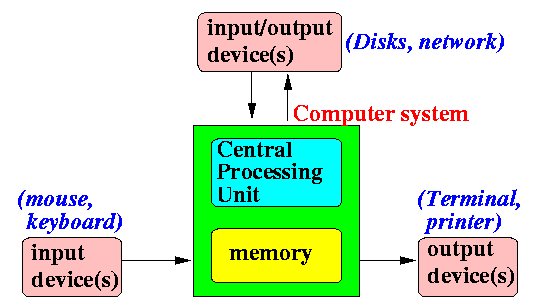
Updated
logical (functional)
organization of a computer
- What a
computer
looks like
logically (= by their function):
|
Components of a computer
A computer consists of
4 types of
components:
- Central Processing Unit
(= CPU) = "brain" of
a computer
- Main memory
(= RAM) = storage space of
a computer
- Input devices =
devices used to
receive data into the computer
- Output devices =
devices used to
output data from the computer
|
We take a closer look at the
computer (main) memory component
next
Computer memory
(a.k.a.: Random Access Memory or RAM)
Analogy to help you
understand a computer memory
- The main memory
or RAM is
similar to
a collection of
mail boxes:
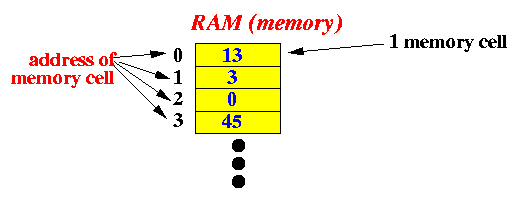

where:
- Each
mail box
is uniquely
identified
by an integer
mailbox number
(= address)
- Each
mail box contains
slip of paper
can
store a
(small) number
|

|
Operations
that a computer can perform on the main memory
- The computer can perform
2 operations
on
the main memory:
-
Read
operation: the computer
retrieves
the number
from
one or more
memory cells
at a specific
memory address
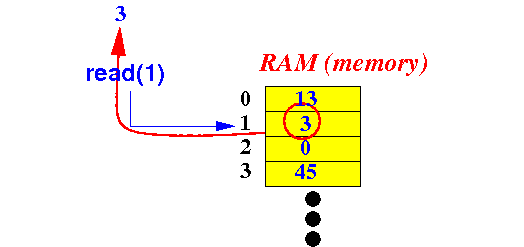
-
Write
operation: the computer
stores
a number
into
one or more
memory cells
at a specific
memory address
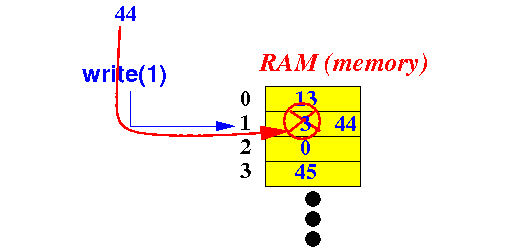
|
|
Analogy to help you understand the
write and
read operations to a computer memory
- The
write operation
and
the
read operation to
the computer memory is
similar to the
store
and
recall
operations
of a
calculator:
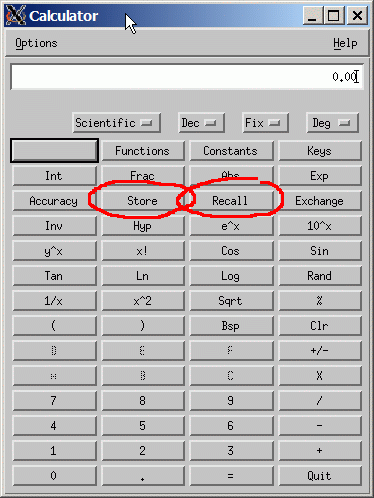
|
Question:
how can
a computer
store things
(like text)
other than
numbers ??
How does the computer store information using
just numbers ?
How
can a computer tell the meaning of
a number ?
Problem description:
How
can a computer tell the meaning of
a number ?
Answer to the
representation conundrum:
- The
meaning of
a
code
(like the number 0)
can only be determined when
the
context is
given (= known):
- When the computer is
working with
marital status
data,
the number 0 means:
single
- When the computer is
working with
college student
data,
then
the number 0 means:
freshman
|
- The
context
information for
data in a
computer program is:
- The
data type
(will be discussed
later)
|
- Analogy to
help you understand
the concept of
context:
- Make a correct
English sentence that begins with:
You is ....
|
|
The context of the word
You
- Answer:
- When you use the word
You in the
context of
a
personal pronoun
(which is the common case), you
must use
You are ...
Example:
You are a person. // You used as a personal pronoun
|
- When you use the word
You in the
context of
a
noun,
you
must use
You is ...
You is an English word // You used as a noun
|
|
❮
❯